Showing posts with label Bluetooth. Show all posts

2022/06/09

Bose Soundlink Flex speaker

The Bose Soundlink Flex speaker is designed for outdoor use. It has an IP64 and IP67 rating, so water and dust proof and can be submerged down to 1 metre for up to a minute. The case is metal with a a "soft touch" silicon coating and the grill has a fabric coating. It's a portable size at 20.1cm across by 9cm height and a depth of 5cm and there's a fabric strap so it can be carried.


There's a single USB-C port used for charging (a USB-A to USB-C cable is included), it's a shame the port can't be used to connect to an audio source directly so it could be used as a wired speaker/DAC. It takes 4 hours to fully charge the system.

The audio is only available via Bluetooth (v4.2) and it works up to about 30m.

There are also front facing microphones which can be used for calls and voice assistants.


There are 5 buttons across the top, power, volume down, multi-function and volume up and Bluetooth (with indicator light) that can initiate pairing.

Single pressing the power button turns the device on (and it speaks the battery percentage remaining - which is enabled by default). Single pressing again will turn the unit off. If nothing is playing/connected the unit will auto turn off after 20 minutes, this can be disabled by holding the + (volume up) and multifunction button simultaneously (or in the app), or if disabled this will re-enable it. While on, the amount of battery power will be spoken by pressing the power and keeping it pressed.

The multi-function button does multiple things depending on mode: -

  • When playing audio, single pressing will play or pause, track forwards (double press) and track backwards (triple press).
  • Pressing and holding will activate the voice control capabilities of the connected device (i.e. Siri or Alexa etc). Pressing and holding again will exit voice control.
  • When there's an incoming call pressing will answer, pressing and holding will reject the call. While in a call pressing and holding will end the call.
  • When there are 2 active calls, pressing quickly will switch between them.

If on a call, pressing volume up and down simultaneously will mute the call.

Though not required, there's an accompanying Bose Connect app (iOS/Android) that enables various functions such as party mode (where multiple Bose speakers can be linked and will all play the same audio) or stereo mode where 2 devices will (after having been connected in party mode) play left and right through each device.

Once paired the main screen shows a nice picture and what's playing. Touching the on-screen buttons plays/pauses, rewinds and fast forwards and the volume can be adjusted.


The main screen just shows the device connected.


Settings then shows the various that can be changed such as party mode, voice prompts, voice language etc.


Clicking the user icon takes you into Profile settings where a few user settings can be set.


The USB charging port is visible on the left


and the strap on the right.


NOTE: as can be seen from the photos, the black silicon coating picks up dust very easily which sticks, it obviously doesn't effect the sound, but it can look a bit nasty.

When the speaker is initially turned on, voice prompts are in English, but the speaker supports the following languages: -

  • English
  • Spanish  
  • French
  • German 
  • Mandarin
  • Japanese
  • Korean
  • Italian
  • Portuguese 
  • Swedish
  • Dutch
  • Russian 
  • Polish
The language can easily be selected in the app, but to change via the speaker, press and hold the multifunction button and then press + or - to cycle through the languages, then press and hold the multifunction button again when you are on the language you require.

The speaker can be paired with up to 8 devices at a time, though only 2 can be used simultaneously and only one can be playing at any time. To switch between two connected audio sources, pause the one playing and then start the other source. To clear all connections, press and hold the Bluetooth button for 10 seconds.

When it's time to party 2 Bose products can be connected in "Party Mode". This allows them both to play left and right or in Stereo mode, one will be left and the other right. Doing this is easy within the app, but can be done through a connected speaker. Make sure both devices are on and one is connected to the Bluetooth audio source and then press the Bluetooth and volume up (+) button together. The speaker will say “Press the Bluetooth and volume down buttons simultaneously on a second Bose device” which should then be done on the other Bose speaker.

Once in party mode to put them in stereo mode press the Bluetooth button and + on either speaker until it announces “Stereo mode”, then one will say "left" and the other "right". Pressing the Bluetooth and + button again will turn off stereo mode. To disable either mode just turn off one speaker.

Only via the app, the speaker can be connected to a Bose soundbar using the sync system and whatever's playing on the soundbar will play through the Flex (limited by Bluetooth range of 30m).

Bose claim a 12 hour battery life, however if the volume is near 100% (which is often required outside or in a large space like a gym), then battery life is considerably reduced to somewhere over 3 hours. An external power source can be used and works well for topping up the internal battery.

The microphones do work, though placement is key and it's quite easy to get a muffled conversation and probably best to use the phone directly for that important work call.

The speaker comes in 3 colours (black, stone blue and smoke white) and costs £149.95

There are cheaper speakers out there, but this does have good base and plays well. Battery life could be better and it's a real shame the USB port can be connected to an audio source for wired playback, but a nice solidly built Bluetooth speaker. 


2022/04/12

KardiaMobile means a great time to be Alive(Cor)

Alivecor have been producing small ECG monitors for a while, the initial KardiaMobile had 2 pads and used sound to transfer the data to a phone and this relied on positioning the device near the phone and in a stable position with the phone's microphone towards the device.

The new KardiaMobile 6L looks quite similar to the original, but has two pads on the top and a single pad underneath. It uses Bluetooth Low Energy (BLE) to transmit the data to a phone where the ECG will be displayed in the Kardia app (Apple iOS 10.3.3, or at least Android OS 6.0).

The box is a cardboard sleeve.


The inside section slides out and it holds the KardiaMobile 6L and an instruction manual sitting on top.


The device has two silver pads on the top surface and the AliveCor logo (or arrow).


The base has a single pad (which can be unscrewed and holds the CR2016 battery which is included).


The app should be installed and an account created, the device is then paired with the app.

If taking a 2 lead reading, put the KardiaMobile on a table or other stable position and place a finger from each hand on the two pads. If taking a 3 lead reading, then sit somewhere that is a comfortable stable position, roll up trousers, if required, to expose the knee area and place the device on knee and one finger from each hand on the two top pads. Again it's important to sit as still as possible.


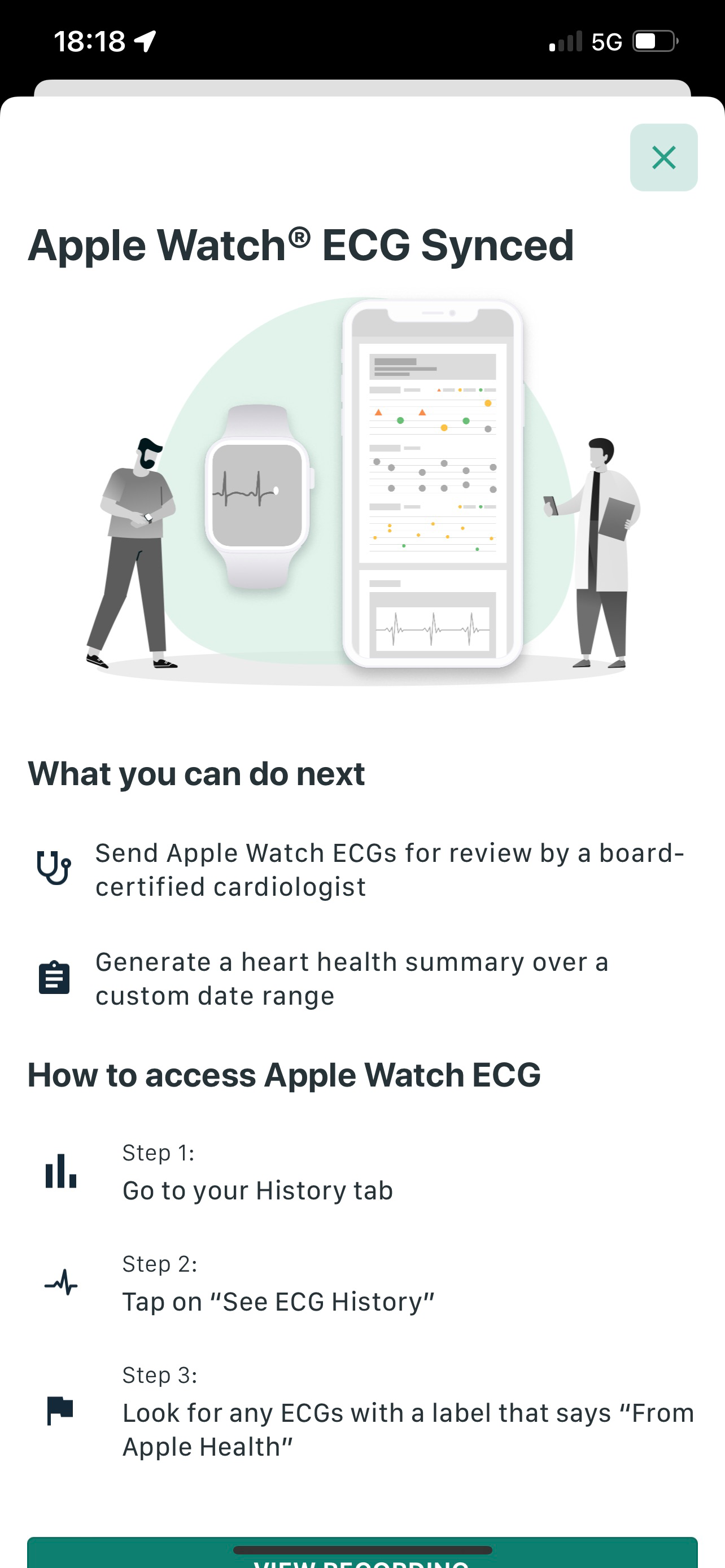
Once the readings have been taken you are notified that the ECG's have been saved to Apple Health (if sync'ed to Apple Health) and can be viewed on your Apple Watch (so it can be shown to a doctor or clinician).


You are also given a summary of the ECG


It's then possible to share the ECG as a PDF and it takes the whole chart like you'd get from a ECG machine in a hospital (but split into pages).

Note the first page often has weirdness at the beginning as you settle down and stabilise the readings.


The next pages tend to be cleaner with just the normal ECG displayed


 The final page is an averaged heart rate


As stated previously it really is imperative to keep as still as possible to get a clean reading. The app will diagnose simple abnormalities such as Atrial Fibrillation, Bradycardia, Tachycardia and a normal heart rhythm. Giving the ECGs to a doctor may help them diagnose arrhythmias and cardiovascular diseases.

The unit is FDA approved as a medical device (which is very different to other wearables that a fitness devices) and acts as though it uses ECG leads I, II, III, aVL, aVR, aVF.

If you're worried at all about heart conditions, this could be for you, it's easy to use and gives good results.

The basic Kardia 6L costs £149 in the UK (direct from the site) and £228 with the addition of a year of KardiaCare which allows advanced determinations (analysis), the results are shared with clinicians and stored in the cloud and you get a heart health summary report. Purchasing separately a plan costs £99 or £179 for 2 years.


2021/11/11

It's time to put Nothing in your ear (1)

Nothing is a London based consumer tech company who's mission is "to remove barriers between people and the technology we all use. By designing intuitive and smart technology that improves our lives without getting in the way Nothing wants to bring back artistry, passion, and trust. We want to help people unlock new and meaningful experiences not just in consumer electronics, but also in life." (from their website).

The first product is the ear (1) an in-ear earphone which features noise cancellation. They come with the usual 3 sized silicon tips (small, medium and large - though it's a shame there's no memory foam ones available). They come in a plastic case which holds the earphones magnetically so they align with the charging pins. The right earphone has a red dot on it (as does the magnet in the base) so it's easy to ensure the correct earphone goes into the right ear (sic). They are pretty light at 4.7 grams.

Nothing ear (1) case with earphones

They come in a black box with pictures of the earphones, but to open it there's a tear strip so it can be pulled apart. Inside there's a shiny metalised case that pulls open and contains the earphone base (the earphones are in it), a side part containing the ear tips and another containing the USB C charging cable. The outer box does seem a bit of a waste.

Nothing ear (1) outer box


Nothing ear(1) box showing earphones in case

Nothing ear(1) box with side boxes holding tips and USB cable


The case is 58.6 by 58.6 by 27.3 mm and has a USB C port and a button which is pressed to start the pairing process. It can also be charged wirelessly through any QI compatible charger. It weighs 57.4 grams without the earphones.

Nothing ear(1) case with USB and pair button

Nothing ear(1) earphones

There's an accompanying app (iOS and Android) that when connected shows the charge of the left and right earphones.

iOS app (charge)

It allows switching between Noise Cancelation, Transparency and off (and whether it light or maximum).

iOS app noise cancellation etc

Then the equalisation can be selected (Balanced, More Treble, More Base, Voice).

iOS app equaliser

Tap settings can also be selected for both earphones (Triple Tap -> Next Song, Previous Song, nothing and Tap & Hold -> Noise Cancellation, nothing).

The app also allows (per each ear pair incase you've paired multiple pairs) In-Ear detection, Latency Mode (Normal or Low - designed for playing games but more prone to interference from other devices) and Firmware Update (it shows the current version and will allow clicking if a new version is available, updates are via Bluetooth and it can be quite slow and it's easy to think nothing's happening before the upgrade starts).

iOS app settings


The instructions that come in box imply that the the earphones should be paired with the app (there's an option in the settings), however on iOS it did pair with the app, but music and other apps didn't seem to be able to output sounds through the earphones. When paired within the Bluetooth settings, the app recognised that the earphones were paired and all the functions worked and sounds and music could be heard though any app.

The batteries in the earphones should last around 5 hours and the case holds enough for 34 hours use (though you obviously need to put them into the case to charge them) - if active noise cancellation is on, then the total case time reduces to 24 hours.

The quality seems pretty good and they also work well for video conference calls (well some better than other, Google Meet decided to echo back your own voice).

The signal travels well and audio only started breaking up about 10 metres from the connected computer (and going through some internal walls).

With ear detection on, the music should pause, but when using with a device other than a phone it doesn't seem to work while triple tapping does move to the next track. This behaviour seems to have changed since the last firmware update as jiggling your head around (or dancing vigorously) would trigger something and the music would pause.

Overall the build and sound quality is very good and for only £99 pretty good value compared to fruity alternatives. They are available directly from Nothing's site and should arrive in a few days.


2021/04/14

It's a bendy electronic thermometer

 It's always useful to be able to measure your temperature, especially when the world is in the throws of a pandemic where early signs of a fever could be mean getting help or not.

Kinsa is a US company that make thermometers with an app, they state their mission is "to stop the spread of infectious disease by knowing where and when it starts" and they have a HeathWeather map (currently seems to be US only).

There are two thermometers, one is an in ear device and the one reviewed here is inserted orally, under the arm or rectally (not tested). It has a flexible stem with a metal tip, which connects to a round top which contains the electronics, battery (CR2032) and a display which has a backlight.


The companion app is available on iOS and Android and allows multiple profiles for different users. The device must be paired with the app before use.

The backlight is quite bright which makes it quite difficult to show the display, but it can display in Centigrade or Fahrenheit which is set through the app.


It's really easy to use, just push the button and 3 dashes will appear on the display and then insert in to the relevant orifice. Within a short time the temperature will be read and appear on the display and in the app where it can be assigned to a user and the temperatures displayed as a timeline that can be shared with health professionals.

The thermometer is fully FDA approved.

It's available online directly through the Kinsa Health store for a very reasonable $24.99 (though can be cheaper on big shopping sites that will ship to the UK).

2017/11/20

It's a badge of honour, that changes face

Another day, another Crowdfunded project, this time it's a Bluetooth connected connected badge (or Pin as those over the pond like to call them).

Pins Collective are the people behind the badge (which is round) is about 2 inches across and the colour display has a resolution of 300 x 300 pixels. Information is sent to the badge using an iOS of Android app (using BLE i.e. Bluetooth version 4+ so it's needs to be a reasonably recent phone). The battery lasts around 6-72h depending on what the badge has to do (animation, backlight, etc).

Currently the app is pretty basic (in iOS) allowing selection of an image and sending it to the badge (and of course pairing the badge in the first place).

The badge will display GIFs (including animated GIFs, so you can get some spiffy moving images). The app will I,port and convert various image file formats to the correct version for the badge. Images bigger than 300x300 will be cropped.

Wearing pictures of your colleagues can be quite annoying to them.

Currently they're available to pre-order through Indiegogo at $69.

2017/09/20

Alivecor Kardia

Alivecor make products that read your EKG. The Kardia Band was previously reviewed and although convenient as it's always on your wrist (it's an Apple Watch add-on) it's extremely susceptible to movement, external interference and lots of other constraints so it's not always easy to get an accurate reading. It also takes a while to process the result as a lot of noise has to be filtered out.

The Kardia Mobile is much easier to use. It's a unit with two electrode pads on it (underneath there's a battery compartment which holds a CR2016 coin cell) which should give about 12 months of use.

Download the free iOS or Android Kardia app and then set-up an account. Then take a reading and the app will search for the Kardia Mobile device and pair with it (it uses Bluetooth 4 so a recent'ish iOS or Android phone must be used with a recent OS).

The app will wait a while, while you put your first and second fingers from both hands on either pad, then relax and the app will record your EKG. It needs to read about 30 seconds to get a sensible heart rate reading.

After the reading is saved it will tell you if there are any abnormalities or anything. As the pads are large and the signal is being received from across the body, the results are much cleaner and less susceptible to interference (compared to the Watch version).

The EKG Characteristics are single lead ECG, 10 mV peak-to-peak input dynamic range, 30 second to 5 minute recording duration, 300 samples per second sampling rate at 16 bit resolution.

There are extra features such as unlimited storage and history, summary reports for your doctor, blood pressure monitoring and tracking weight and medication (though the last two need manual intervention) that are available through the premium service which is available as an in-app purchase.

There's also a phone attachment strip that allows the Kardia Mobile to be carried with the phone (glues on to the phone).

The Kardia Mobile costs £99 direct from Alivecor.

2015/11/30

Last chance to control your home with nCube

nCube is a home hub that connects to your home network and then allows you to control devices in your home through the nCube app.

It works with lots of home devices such as Nest thermostat, Philips Hue and LIFX lights, sonos music and Belkin WeMo plug-in & lightbulb products.

Protocols supported are WiFI, Bluetooth and Z-Wave.

The device is secure (the phone app must be set-up on the home network) and the nCube device uses a VPN into the nCube cloud services.

As well as being functional the nCube app is designed to be easy to use and has won several design awards.

The nCube Kickstarter campaign finishes in 3 days so get backing, it's still possible to get one for an early bird price of £99 (it will retail for £139).

2015/03/18

Beddit - tracking your sleep

Beddit is a device that has a little computing/Bluetooth module and a ultra-thin film sensor that's placed on the mattress that measures your sleep. The strip should be placed on the bed, approximately where your chest is.

Older versions of the device used a Bluetooth 2.0 module which meant the accompanying app (iOS and Android) took forever to connect, while newer versions have a Bluetooth 4 (SMART) module and as soon as the app is opened it connects almost immediately.

The app then tracks sleep quality, respiration and heart rate. It shows how many times you got out of bed, when you went to bed and when you got up. Unfortunately currently you need to start the app to do this which means if you forget, say because you're drunk - when you'd really like to know how you slept, it won't measure anything.

If you do remember to pen the app, then you get a nice display of min/max heart rate and averaged breaths per minute and then a visual graph of what kind of sleep you were in.

The next version of the app should automatically connect when near the Beddit sensor and then know when you go to bed and automatically track your sleep. It may also have a live display showing breathing and/or heart rate.

If you have problems sleeping, this won't cure them, but will show you your sleep patterns and maybe help you improve them.

If you're a Misfit user, Beddit also works with the Misfit app (so will use the Beddit to track your sleep rather than the Misfit Shine/etc).

Prices vary widely on-line, but it can be had for as little as £61.

2014/12/22

Ofcom consults on Public Sector Spectrum release

Ofcom, the Super Regulator, has published a statement on the release of Public Sector Spectrum release, specifically in the 2.3GHz and 3.4GHz bands concerning co-existance issues.

The two blocks of spectrum are currently held by the Ministry of Defence (MoD) and it is reelasing the spectrum back to Ofcom for civilian use. The two blocks are: -

  • 40 MHz of spectrum within the 2.3 GHz band (2350-2390 MHz)
  • 150 MHz of spectrum within the 3.4 GHz band (3410-3480 MHz and 3500-3580 MHz)

Though likely to be offered on a technology neutral basis, it is expected that there will be high interest from mobile operators wishing to use the spectrum for high power 4G (LTE) services.

Ofcom has viewed the interference issues assuming the bands will be used for LTE.

The 2.3GHz band has potential to interfere with the adjacent 2.4GHz band (2400 to 2483.5 MHz) which is used by Bluetooth, WiFi and Zigbee. Though Ofcom has ascertained there is a slight risk (mainly to WiFi, just due to the number of WiFi access points in use), often interference issues can be minimised by moving equipment away from windows or near the outside of buildings. Moving WiFi to use the 5GHz band mean there is no interference at all.

The 2.3GHz band release will cause issues for Programme Making and Special Events (PMSE) and will reduce the number of channels available. However PMSE is expected to move to the 7GHz band which will become the 'home' for PMSE services.

Current PMSE services can continue to operate in the 3.4GHz band, until such time that the 3.4GHz is actually deployed in specific areas.

Ofcom hopes to release the spectrum in 2015.

2014/11/07

Jawbone introduces Move and UP3

Jawbone the company that specialises in Bluetooth devices has launched two new activity trackers, the Move and the UP3.

The Move is a disk like (made out of anodised aluminium) and comes with a clip so you can attach it to your trousers, tie, bra or wherever you feel comfortable. It has a tri-axis accelerometer, 12 White LEDs, 1 Orange LED, and 1 Blue LED to indicate movement time, charge states, progress and current status. To be honest it seems very similar to the Misfit Shine. It uses a replaceable CR2032 battery which lasts up to 6 months. It only costs £39.99 which definitely puts it in the affordable bracket.

The UP3 on the other hand seems to be a vast improvement on the UP24 (and Jawbone known for being a Bluetooth company really shouldn't have released the original UP without Bluetooth support). It has a tri-axis accelerometer and uses bio-impedance to measure heart rate, respiration, Galvanic Skin Response (GSR). It also measures skin and ambient temperature. There are three single color LEDs: Blue for sleep, orange for activity, and white for notifications. It's also water resistant down to 10m (which means that it's suitable for swimming) and the rechargeable battery lasts about a week. It's £149.99 which isn't cheap, but the electronic sensors that measure your conditions are definitely better than the usual LED/pulse-rate detectors that most other devices use and can potentially allow the UP3 to do more accurate and advanced monitoring.

Though Fitbit dominate the tracker market (and though they are also launching new devices), the Move is a cheap and cheerful device for the low end market, while the UP3 has some nice advanced features and should give them a run for their money.

2012/07/18

Samsung gets serious with mobile chips

Samsung is buying the mobile chipset division of Cambridge Silicon Radio (CSR) for $310m. This will add Wi-Fi, GPS and Bluetooth chipsets to Samsung's already hefty portfolio as well as 310 employees and the IP. CSR was formed in 1998 and went public in 2004 and was one of the 'blue eyed' technology companies that was ahead of its time and it dominated the world of Bluetooth followed by GPS and WiFi. Unfortunately in recent times its mobile chipsets haven't been doing so well due to lacklustre sales from partners Nokia and RIM and revenues have fallen by 50% over the last 2 years. Samsung get a "worldwide, perpetual, royalty-free, non-exclusive license of CSR's intellectual property rights used in its handset connectivity and location products" which means less royalty payments for them while other handset manufacturers will now have to pay Samsung. Samsung will also get a stronger hold over Apple as they already manufacture the A4 and A5 chipsets, provide some of the retina displays and now own the CSR components used by Apple too. The combined GPS/WiFi/Bluetooth/FM combined chipset market is dominated by Broadcom who control 51% of the market, followed by Texas Instruments (31%), now Samsung play take a bigger role in this $3bn market. Samsung have also taken a 4.9% in the remaining part of CSR.

2010/11/18

Qualcomm Snapdragons pack more byte for buck

Yesterday Qualcomm announced their new Snapdragon MSM8960™ chipset. Though based on the original (ARM) Snapdragon system, the new chip is dual core with the new micro-architecture that delivers 5 times the performance while using 75% less power.

The processor has a built-in mult-modem support all 3G modes as well as LTE, new graphics that operate at 4 times the speed and built-in support for WLAN, GPS, Bluetooth and FM.

The chip is based on a 28nm process and will be available in early 2011.

Qualcomm's Snapdragon is already used in many high-end smart-phones and tablets and the new chip should really give them a lead in the high end market against rivals such as Samsung and even Apple.

2009/10/21

New low power Bluetooth standard

A new Bluetooth Low Energy (BLE) standard is due soon,it was initially based on the Wibree system developed by Nokia.

BLE wil allow devices using the new specification to operate for potentially years off standard coin batteries. This will allow BLE chips to be incorporated into many everyday devices, though handset manufacturers will be early adopters, though initially they'll use dual-mode system (i.e. standard Bluetooth and BLE).

Chips vendors such as TI and CSR and Broadcom have adopted BLE and well on their way to producing silicon so devices may be available in 2010.

As BLE uses such low power it could change the way people think about device communication as it could be incorporated into a multitude of household components.