2021/04/28

Want the perfect microphone, then be sure with Shure

Shure has been in the commercial microphone and in-ear phone space for many years (almost 100 as it was founded in 1925) starting in AM radio, then in the 30's developing microphones, then in the 40's developing headphones for the allies. The 50's produced the first stereo phono cartridge in conjunction with Columbia records. The 60's went swingingly with a dynamic microphone used by the White House ever since and the SM58 (studio microphone) favoured by rockers the world over. The 80's moved into teleconferencing products and cardiod microphones suitable for high gain while being resistant to feedback. The naughties (90's) went wireless and in ear personal monitoring system (earphones).

Moving into the millennium Shure acquires Tripp Ribbons Microphones and launches their SRH range, then in 2010's it's all about 24bit wireless, pro in-ear and the MOTIV digital line and now in the 20's it's working from home and partnerships with Logitech, prosumer home microphones and Ionic wireless in-ear.

That's a lot of products, so what's suitable for you?

There's a plethora of microphones, though all could be used, some are better suited to particular uses vocal, loud etc. and Shure have designed a simple quiz to help people select the best microphone for it's intended use and budget.

It's really designed for musicians and singers and it would have been nice to add sections for bloggers/vloggers, Zoom and other non-music activities, but it's quite useful as is.

Shure do make some very nice audio products and now with Home/Prosumer do have a look.

Go back in time with a Divergence Meter Nixie clock

Clocks are useful things, mostly they tell the time and this is generally a good thing.

Though we live in a digital age, people do have a thing for clocks, especially those that are worn on the wrist and these come in a multitude of varieties. These were analogue, then came the invention of the digital watch and then people spent a lot of money on analogue versions again.

Clocks (as in actual clocks) have tended to remain analogue, circular discs with hands that move around pointing to digits painted (or embossed) around the edge. Clocks can be powered with some clever electronics so they keep time accurately such as using a radio time signal.

Digital clocks to exist and they use flat displays such as e-ink, OLED or LCD. They tend not to be very pretty.

In the past, lots of devices used something called a Nixie display, they look like vacuum tubes, except rather than warming up they have a variety of cold cathodes inside, shaped to look like numbers or digits. They were popular in the 1960's but there has been a recent resurgence and a numeric variety the IN-14 is still available.

Nixie tubes are filled with low pressure neon (and sometimes some other gasses or mercury to change the colour) and when a voltage (around 200V) is applied, the cathode will glow. If the gas is neon based, it's usualy a nice orange glow.

Some enterprising Ukrainians have decided to design and build pretty clocks based on Nixie tubes. These come in several varieties and can be Arduino or Raspberry Pi based using IN-14 or IN-18 Nixie tubes and in kit form or preassembled. This review is on the Arduino Shield NCS314 IN-14 variety and has an external DS18B20 temperature sensor. It's also possible to connect an external GPS that uses NMEA protocol and the clock will maintain time, however the GPS unit does need to maintain visibility of the sky so may not be suitable for indoor use.

There are also RGB LEDs that illuminate the base of the Nixie tubes, but these can be distracting rather than adding aesthetics. This also uses the Arduino MEGA board which runs the software (all available on Github).

There is a mode button which switches between time, date and alarm mode (and up and down buttons to change settings). The LEDs are turned on and off by long pressing the down button and then using the up and down buttons to change the colour.

If you're into pretty old fashioned "digital" clocks, you cant go wrong with a Nixie clock (it is beautiful). The costs vary depending on what options are selected (with/without tubes, sockets, temp sensor, GPS, Arduino Uno/MEGA), but the version shown is about $170.00

2021/04/14

It's a bendy electronic thermometer

 It's always useful to be able to measure your temperature, especially when the world is in the throws of a pandemic where early signs of a fever could be mean getting help or not.

Kinsa is a US company that make thermometers with an app, they state their mission is "to stop the spread of infectious disease by knowing where and when it starts" and they have a HeathWeather map (currently seems to be US only).

There are two thermometers, one is an in ear device and the one reviewed here is inserted orally, under the arm or rectally (not tested). It has a flexible stem with a metal tip, which connects to a round top which contains the electronics, battery (CR2032) and a display which has a backlight.


The companion app is available on iOS and Android and allows multiple profiles for different users. The device must be paired with the app before use.

The backlight is quite bright which makes it quite difficult to show the display, but it can display in Centigrade or Fahrenheit which is set through the app.


It's really easy to use, just push the button and 3 dashes will appear on the display and then insert in to the relevant orifice. Within a short time the temperature will be read and appear on the display and in the app where it can be assigned to a user and the temperatures displayed as a timeline that can be shared with health professionals.

The thermometer is fully FDA approved.

It's available online directly through the Kinsa Health store for a very reasonable $24.99 (though can be cheaper on big shopping sites that will ship to the UK).

2021/04/04

It's time to move those bits at 2,500 Mb/s

 No idea why people like quoting figures like 2,500 mA (2.5A) for chargers and other devices, well thankfully D-Link have announced the DUB-E250 a USB-C to 2.5G Ethernet adapter.

D-Link DUB-E250 box


Opening the box reveals a large plastic holder into which the adapter is firmly held in place (though a complete was of plastic packing) and a paper limited warranty in many languages (that no-one is likely to read).


The adapter has a plastic rectangle with Ethernet socket at the end and a standard USB-C connector at the other.

It just works, plug it in to the USB C ports of a PC, Mac or Linux box and a Ethernet device appears supporting up to 2.5Gb/s networking. No drivers, no installs.

Unfortunately there was no 2.5G infrastructure to plug it into at the time, but it also works perfectly happily with 1G network switches just operating at 1Gb/s speeds. Will probably try in on a iPadPro with USB-C port to see if anything is detected and upgrade the blog if it does.

It costs around £30 on-line and if you have a lot of data to get on or off a PC device and a network to support it, then it's a good option, though most consumer hardware is still only 1Gb/s and there won't be any gain to upgrading.

In future as consumer does move to 2.5G or even 10G then this could be for you (probably more realistically a good device for 'techies' who need to plug into Dada Centre networks and monitor and access services or as companies go back to work and update their networks.


2021/03/08

Fingerprints, It's all about the FAP

 Isorg is a French company that develops large scale image sensors. They can produce Organic Photo Diodes (OPD) on to a thin film transistor (TFT) backplane.

This is being used for a FAP10 compliant fingerprint sensor (with a surface area of 1.27 by 1.65 cm).

FAP 10 is a complete solution, incorporating an image sensor, dedicated light source, optical filters and driving electronics. To support customer product development, Isorg will provide a reference design with its latest integrated ROIC (Read Out Integrated Circuit) and software processing for image quality enhancement that is optimised with Isorg’s OPD sensor technology.


The sensor can withstand bright light sources such as indoor spot lighting and direct sunlight. It has now received approval from the FBI for use in secure applications such a door control, voter ID and other applications.

The sensor can also be used on mobile devices.

The next device will be a FAP60 product which allows identification based on 4 fingers and then palm ID.

2021/02/12

Your computer can now smell

The new Smell Inspector is launching on Kickstarter. The developers call it an "E-Nose Developer's Kit and End-User Gadget".

It's based on a 16 multichannel chip based on nano technology called the IX16 and there are 4 mounted on the Smell board giving 64 channels which reads data every 1.8 seconds. The output is in ASCII and be be used by any type of computer like Arduino or Raspberry Pi.

The actual IX16 chips is very low power using less than 1uW and uses 16 chemiresistor-type nanomaterial based gas detectors, Kapton foil, particle filter. It has a high sensitivity to various gases and VOCs (<80 ppb for NH3, PH3, H2S).

Software is available for Linux and Windows and will be for Android and iOS though your own applications can be developed too.

Super Early Bird pricing is finished, but Early Bird is available for €269

2021/02/11

Don't want to use your card, K-pay

K-Pay is a wearable with an embedded NFC chip that allows you to pay for things using contactless payment, like taping you credit card. The limit is the same as using a credit card too.

There are several options including a bracelet as below, other types of bracelet and pendants.

K=Pay bracelet

 The side are metal and there's a carbon effect middle piece with the NFC chip behind.

K-Pay bracelet

The box that they come in is well built and looks like there's a quality product inside.

K-Pay box

Paying for things is just a matter of placing the NFC part of the bracelet over the card reader. If worn like a watch, it makes it really easy to do touchless payments and it will work through, say a jacket.

The actual payment service is provided by Pingit and it's necessary to sign-up for a Pingit account via their mobile apps (both iOS and Android). Pingit is the evolution of B-Pay and the previous incarnation of Pingit, both provided by Barclays and now a single app. As well as K-Pay, Pingit also sell hardware devices.

The K-Pay device has a tag attached which is it's serial number / ID. Don't lose it.

In the Pingit app set-up a JAR and then it's possible to add the device (using the number on the tag) to that jar. It's then necessary to top-up. This can be a single top-up, scheduled top-up or low balance top-up. They are reasonably self explanatory i.e. single just add funds to the jar, scheduled allows setting the 1st to  28th day of every month, or Mon-Sun weekly. Low balance will top-up with a specified amount when the balance falls below a specified amount (both in multiples of £5).

Pingit will ONLY allow debit cards to be used for top-ups (money can be BACS transferred into the Pingit account), Of course Pingit allows other functions such as paying other people using Pingit, businesses who've set-up a "bank pay" code and various others as well as playing the National Lottery.

It's also possible to request money from others using various methods, including a payment link set-up through the app.

Assuming there's credit in the jar that the K-Pay device is associated with, then it will just work like a contactless card. It can also be frozen and reported as lost/stolen through the app.

The only thing that's not possible is disassociating the K-Pay device from Pingit. Once added, that's it forever. It's not possible to resell or give to a friend if no longer in use. K-Pay NFC chips may also have an expire time built-in (it's not clear, but there's a buy another and return your old one offer on the K-Pay site).

The K-Pay Monaco bracelet costs £86 (others cost £75 or £120) and other bracelets up to £135.

Pendants are £103 and key fobs (a pendant without the necklace but a key ring) £65. A strap tag (just a silicon strip with the NFC in it and loops at the end) is £17.

They are very easy to use once set-up, but annoying that they can only be attached to debit and not credit cards and once activated can't be given to anyone else (well without charging to your account).

There are other solutions to there such as the K Ring which is a pre-pay MasterCard but allows topping-up via credit or debit card (as well as BACS etc).

2020/11/24

How can something something so remarkable be improved? Welcome the reMarkable 2

The original reMarkable tablet was just that, a pretty (sic) tablet that was Internet connected and had an e-ink 'paper like' display that used a stylus that almost felt like writing on paper too. There was some lag, but it was much better that trying to write on, say, an iPad.

The original slip on case buckled, but after writing to support, it was replaced without question.

The software on the tablet was updated on an infrequent basis, which improved usability and functionality.

Companion apps became available for mobile and desktop and documents and templates could be uploaded via the apps and would appear on the reMarkable. There's even live sync where updates made to a document on the reMarkable would appear instantaneously on the apps. The cloud storage is also free.

The reMarkable can read ePub and PDF files and PDFs can be annotated and then sent back to the cloud. This is actually incredibly useful as PDF forms can be filled in or documents signed with a real signature without printing and then scanning.

The last main feature to be added with script to text i.e. write on the reMarkable and press the convert icon and the hand written script is converted to text. It seems to cope with pretty atrocious handwriting too.

Now the new reMarkable 2 is out and it really is a major improvement over the first version. Immediately noticeable is the lack of lag and - well apart from the looks of the tablet itself. It's thinner (4.7mm), the buttons have gone and the bezel is thinner and it feels much sturdier too.

The tablet runs Codex which is Linux optimised to support low latency e-ink displays. It runs on an ARM dual core 1.2GHz CPU with 1GB of RAM and 8GB of internal storage (enough for 100,000 handwritten pages).

There's a 3000mAh battery and USB charging via a USB-C port (charger isn't supplied).

The reMarkable 2 is 187 x 246 mm and the display is 10.3" (approx 26 cm) with a resolution of 1872 x 1404 at 226DPI.

There's also a Marker (passive so no charging required) supporting 4096 pressure levels, it's possible to upgrade to the Marker Plus which has an eraser.

Connectivity is via WiFi supporting 2.4 and 5 GHz. If connecting to a computer via USB-C, then there's actually a web server running and documents can be viewed by using a browser.

The reMarkable 2 is full of magnets, these allow the stylus to attach to the side (make sure it's in the correct position or it can fall off) and also to attach the tablet to the folio case which snaps on.


It fits very snugly and protects the tablet when closed.

 
It almost looks like a (thin A4) book with the stylus just protruding on the right hand side.

When using the tablet the case folds backwards so it can be used to rest on and is out of the way for accessing the display.

The initial screen shows any documents that are on the tablet, though folders are now supported. There are lots of templates supplied, though it's possible to use any PDF (or ePUB) and upload it, then copy it and annotate the copy. This way the original can be kept as a template.


Though it's likely that documents will be annotated for rework back on the source, reMarkable makes a very nice score sheet for something like softball, where the names and inning data can be annotated (though in the UK it would be nice if it was waterproof).


Though not available yet, it would be nice if the reMarkable supported (and linked into) web apps that could use the interface (i.e. the UIzard service that allows building wireframes from hand drawn mockups, if the reMarkable could be used as the mockup device it would be a game changer).


Closed it looks pretty neat and the stylus is held reasonably securely. A huge improvement over v1 and hopefully it will continue improving with regular software updates.

It's available on pre-order for £399, the marker is £49 or marker plus (eraser) £99, then basic folio case/sleeve £69 or the book folio in polymer weave £99 or premium black or brown leather £149. Ordering now should get you one in January '21 (as of Nov 2020)


2020/10/23

Mi Air 2S

This is definitely a Xiaomi product, though not available from the Mi UK store. The earphones are very similar to the Xiaomi True Wireless Earphones 2(TWE2) that were previously reviews. The main difference is a larger battery in the case (440mW compared to 300mW), the case supports wireless charging and play time is longer (the ear buds last 5 hours compared to 4 hours and with the case 24 hours compared to 14 hours).

Both support Bluetooth 5.0 and LHDC/SBC/AAC coding and BLE/HFP/HSP/A2DP/AVRCP though some are LHDC may only supported with Xiaomi phones or using the Xiaomi  MUIU app.

In terms of looks, they are virtually identical, except on the Air 2S's the side stub doesn't extend beyond the top of the earbud while on the older model they do.

The Air 2S do support a new dual core chip which in conjunction with the dual mics (per ear bud) improves latency considerably when noise cancelling.

There is a USB-C socket in the base of the case, which also supports the Qi wireless charging standard (the case needs to lie on its back).

Pairing is easy, just press the button the side for about 5 seconds and the white LED on the front of the case will start blinking and is then connectable from a phone/PC/etc. Once paired, opening the case (or clicking the button) should allow a previously paired unit to connect again (you may need to press the side button, opening the case doesn't always connect the buds).

The earbuds sit just outside the ear canal and can fall out if your heads moves violently, but they generally are comfortable and the sound quality is pretty good.

Tapping the earbuds will do the normal pause music, answer a call etc.

They are nice ear buds though maybe not worth the additional price compared to the TWE2 unless paired with a Xiaomi phone using the MUIU app and getting the enhanced latency.

Including the silicon case, available for about £50 from your Chines import site (and cheaper than the TWE2 from the UK site).

Now that the Bluetooth SIG have released the LC3 codec, which is better quality than the SBC, maybe manufacturers will issue a firmware update to support it.

2020/10/15

Give some Tenda love to your WiFi

Tenda is Chinese company that specialise in networking products for home and office. They have been making WiFi MESH products for a while under their NOVA brand and have released the NOVA MW5C 

In the box there are 3 WiFi MESH units, 3 USB power supplies and one Ethernet/LAN cable. All the units are identical and plugging one in and connecting to the network, then makes it the primary unit. Only one unit should be plugged in while configuring. Each unit is 91 x 91 x 93 mm and are white with an LED in front which shows the status of the device (green operating correctly) and 2 Ethernet ports (WAN/LAN) each port supports 1Gb/s speed.


In order to configure the units, the Tenda app must be dowloaded (available on iOS and Android, it would be nice if there was a desktop version). Turn on WiFi and scan for the network that starts with NOVA (NOVA_XXXX), connect and then the app will allow configuration. The first thing is setting the wireless settings (i.e. SSID and password) and then reconnecting to the new setting, the device is given a location which will be visible on the home screen. It's possible to setup the system to be a full blown router and it can connect to a Ethernet modem using PPPoE. However, most people will probably just use bridge mode which just means the unit will bridge the WiFi to the wired network and that's pretty much all the configuration required (it will use DHCP to get an IP address/router/etc). There are 2 x 10/100/1000Mb/s Ethernet ports, WAN and LAN. The WAN port should be connected to the WAN side of the network (or the network connected to the main router) and the LAN port can be connected via a switch to local devices.

The WiFi supports 802.11 a/ac/n at 5GHz supporting 867Mb/s and 2.4GHz 802.11b/g/n 300Mb/s and MU-MIMO with beamforming.

NOVA back


Once the initial unit is configured and working then plug in the other units and they will automagically connect to the mesh and be visible in the app (and the user just needs to assign a location). That's it, the mesh units require no configuration at all which is a major plus.

In the app the main screen shows the condition of the units and if they are meshing and the number of connected devices. At the top left of the screen there's a 'figure' where you set-up a Tenda account and on the right the WiFi network.

The bottom shows My WiFi (which is the initial entry screen)


The up and down bandwidth settings are zero as the unit is in bridge mode, if PPoE or other mode were used, they would display the settings from the connected modem.

Settings in which there are the following sections:


Internet Settings sets the mode of the system, Bridge is easiest as that just bridges the WAN to LAN side, though it can be used to work with PPPoE, Dynamic IP, Static IP.

Add nova allows adding of more mesh units.

Fast Roaming allows devices to switch between the nova units using Tenda's proprietary protocol but it doesn't support older devices (such as pre iOS 5).

Capacity-oriented Mode allows more than 30 devices to work reliably.

Smart Assistant switches the system to 2.4GHz only allowing the system to scan for devices that can only connect on 2.4GHz.

Date & Time is just that.

Firmware update will check to see if all the units are on the latest firmware and if not offer to upgrade them.

Maintenance Schedule sets a time when the systems will reboot, can be set at a specific time on any day (Monday through Sunday).

Account Authorization allows adding another account that can manage the system.

Three NOVA MESH units should cover around 3500 square feet (300 m²).

In order to use the Tenda app remotely a Tenda account is required. the units do send information back to Tenda in China (connected devices, IP and Ethernet addresses) and the Tenda app will say how many devices are connected overall and to each device. Tenda say that everything is GDPR compliant and that the information is only used for the user's own use.

The 3 system unit can be found for around £100 from your local on-line retailer, which is pretty good value for reliable WiFi around your home or home office audit really does just work. devices like Google's NEST and Amazon Echo's happily connect and the connection is a lot stabler than an older router that was handling all the WiFi previously.

It is a shame there's no desktop app and also that the system only meshes over radio when some locations will have Ethernet locally to more than one node and a major disadvantage is it only supports WPA/WPA2-PSK which Apple devices report as weak security. It's also slightly odd that there's a maintenance schedule where the units will reboot (though that can be turned off by just not ticking any days or time), modern day devices shouldn't need to reboot at all.


2020/09/08

Sweden does the London sound

Urbanista is a Swedish audio company making a range of wired and wireless headphones, earphones and Bluetooth speakers. They are named after cities (though only one for Stockholm in Sweden itself the Stockholm Plus true wireless fruity clone).


The in-ear unit reviewed is the Urbanista London, more like the fruity Pros, they have silicon tips and fit into the ear canal with short stubs that hang diagonally down and forward. The model reviewed is black (midnight), though it's available in pink (rose gold), blue (dark sapphire) and white (pearl). There's a definite hint of the brand being "fashionista" and targeting a millennial market.


There's 2 tips on the earphones and another 3 different sizes in the box.

The case supports wireless charging (Qi compatible) and USB-C (cable supplied).


The LEDs indicate the charge level when on a charging mat or plugged in.


Opening the case and the LEDs will light showing the amount of charge (a full charge will allow 25 hours of play, but the earphones only actually play 5 hours at a time, so they'll need to be placed back into the case and allowed to charge again if the batteries run out, which isn't instantaneous).

The earphones are held in magnetically which places the stems against the charging points.


There's also a button at the front of the case, between the stems which needs to be held down to put the system into Bluetooth pairing mode. Once paired opening the case and putting the earphones in your ear should just work. Long pressing the button will reset the case/earphones and loose their pairings. The earphones are Bluetooth 5, so battery life with a compatible phone should be maximised.


The earphones themselves are touch sensitive with the sensitive part under the logo and also detect when they are in the ear.


Using the smallest silicon tips, the earphones remained in the ear while moving around and were pretty comfortable. They are IPX4 water resistant so can be used in say a gym environment or playing sports, though sweat is likely to reduce the grip of the silicon and they could slip out. It's a shame Urbanista don't supply memory foam tips which when squeezed then securely fit to any shaped ear canal.

Pairing really is simple, just push the button in the case and Urbanista London will appear as a connectable device and just click on it and they are paired. Then put the earphones in your ears and sound will be heard.

There is a quirk, if the earphones are removed from the case prior to pairing and then the paring button pressed, the earphones will appear as two independent Bluetooth devices and each can be connected to individually, but not together. If that happens just forget them, and start the pairing again. Bluetooth audio codecs supported are HSP, HFP, A2DP, AVRCP. The quoted frequency response is 20Hz to 20KHz but that's pretty unrealistic as Bluetooth compresses things a lot.

Everything is controlled by tapping the logo on the earbuds (both left and right earbuds are used). A sturdy tap is required and it needs to be on the logo area and not on the side.

There are six microphones, which are used for noise cancellation and picking up speech for calls.

To play tap the left earbud twice, tapping twice again will pause.

Volume Up, tap right once.

Volume Down, tap left once.

Answer call, touch left or right twice.

End call, touch left or right twice.

Reject call, touch and hold left or right.

Siri, touch right twice.

Active Noise Cancellation (ANC) ON/OFF, touch and hold right for 2 seconds.

Ambient Voice Mode (AVM) ON/OFF, touch and hold left for 2 seconds.

Turning ANC on, turns the volume up and it does block outside noise or speech. It's not perfect but does work, the music is definitely fuller and when off, hi hat drums sounded very fizzy (or is that hissy?). There are other earphones which have better noice cancellation, but they tend to be a lot more expensive.

Turning AWM on makes (banging) music sound washed out, even just listening to a vocal podcast seemed toned down.

When moving away from the Bluetooth source (computer or phone), the audio works, until it doesn't and then starts cutting out randomly.

These probably aren't the earphones for the discerning audiophiles (or just audio snobs), but they look nice and audio quality is pretty decent for the price and with ANC on playing music is a pretty nice experience with warm tones. Also wearing for extended periods is very comfortable.

Definitely worth a look and though not quite as refined in things like ANC, they make a good (much cheaper) alternative to the fruity Pros.

They are available directly from Urbanista or from Amazon for £129.00

2020/09/02

It's the case that will stand by you


The Clckr Stand and Grip Apple iPhone case does exactly what is says on the box. There's a plastic piece divided into 3 parts that folds smoothly into the back of the case so it fits comfortably into a pocket etc. There's also a version for the Samsung S20+.

It comes in a cardboard case, with the front piece that flips open giving access to the plastic part, so the sliding action can be tried while the case seal remains unbroken.


The case is black plastic and Clckr say it will withstand a 2m drop.


Sliding the plastic back, then makes it protrude and it can be used as a grip (slide your hand into it).


If the plastic is then pushed down (it should hold, but it doesn't always and easily pops out - though the weight of the phone will hold it in position when placed on a surface).


It's reasonably stable in this position


It's can be used on the side too, just make sure the the section where the hinge clips into is clear of anything or the hinge will pop out without pressure applied (like in the upright position). Both sides of the hinge should 'click' when pushed firmly and will stay in place.

In the vertical position allows easy handsfree viewing of videos or listening to music. It would work well with an Bluetooth keyboard so you're not touching the phone which can be a bit unstable. In the horizontal mode again would work well with a keyboard and it's a good viewing angle for writing.

It's available for £34.99 direct from Clckr's site in Carbon Fibre Black and Blue, Perforated Black, Clear black and Blue and Saffiano Black and Blue and fits all models of iPhone 11.


2020/08/11

Imou Ranger IQ

Imou is a Chinese company, though not that easy to find on their English site (the actual company is Hangzhou Huacheng Network Technology Co.,Ltd), though the Store site refers to Primetech Ltd who are based in Rickmansworth just north of London.

The Ranger IQ is a golf ball type camera (about 8cm across) with a black base and black surround. The camera can swivel almost 360 (actually 355) degrees around and is can tilt 0-90 degrees the camera has a reasonable wide angle lens.

Setup is done using the Imou Life app (available on both iOS and Android). The camera uses a USB power supply (both cable and PSU supplied) and supports both wired Ethernet (100Mb/s) and WiFi (b/g/n so 2.4GHz) and comes with a mounting plate, screws and nicely a template allowing accurate placement for drilling holes.

The camera supports up to HD (1920x1080 at 25/30 fps) using H.264 and H.265 video compression and 16x digital zoom. There's also a microphone and speaker and a microSD card slot (supporting up to 256GB cards).

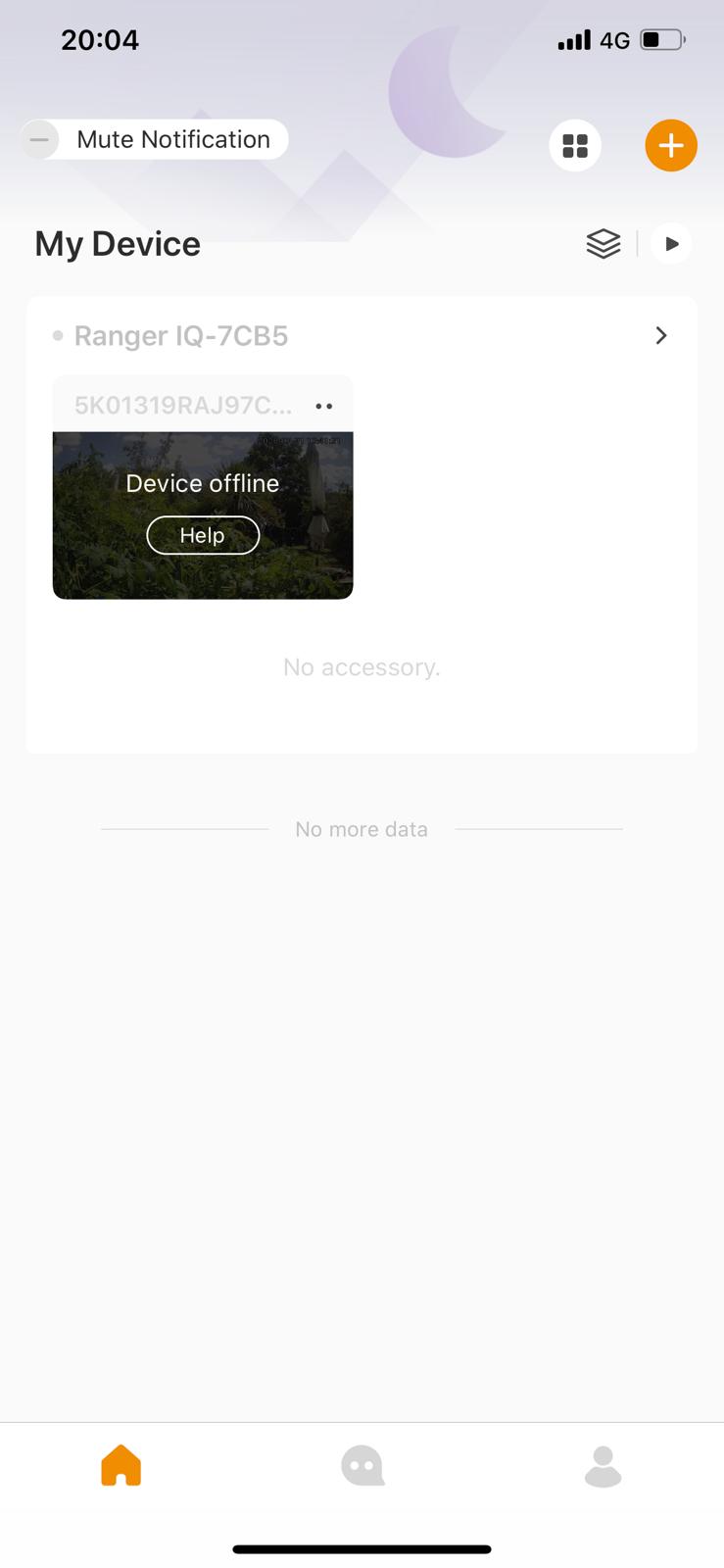
Opening the app presents a login/sign-up screen (and asks the normal security pop ups for notifications, using location and camera later). Sign-up with an email/password and it will send a verification code to the email (with a 15 minute validly). Once verified the main screens presented and it will be mainly empty. Click the + at the top right corner to add a device, then the camera will be used and scan the QR code on the camera.


It can be a bit fiddly to connect, but the password is on the sticker (which isn't obvious).


Once the device is added then it can be configured to send notifications when it detects someone (and follow them), when a noise happens over a certain threshold. Once triggered a short clip will be sent to the phone and a notification appear. If triggered the Ranger IQ can also be set to sound a siren or prerecorded announcement and the user can talk through the app. Setting triggering to humans is very accurate and in that mode pets will be ignored.


The app supports geofencing so it will automatically 'disarm' when in the defined zone so it doesn't trigger when, you get home. It's also important to set the sensitivity of the motion detection as if too sensitive it seems to trigger for events that don't seem to be there. It also has the ability to ignore a region in the camera's view so if there's a clock or something that move, it won't trigger. There's also a privacy mode whereby a plastic guard covers the camera so that it really cant see anything.


The above is monitoring a garden and has been used to monitor various wildlife that appear during the day and at night.


The camera has a night mode and it does work, though in complete darkness it might not pick a face.


There is an issue that when in privacy mode (i.e. the camera blocked that it can "fall off" the network and won't automatically reconnect.


Videos can be stored locally to the memory card and to Imou's cloud storage service (a monthly fee of £1.69, £2.49 and £5.99 for 3, 7 and 30 days respectively). Though having your video stored on Chinese servers may not be optimal.


It's available for £69.99 (reduced from £89.99 from the Imou Store


If purchasing via Amazon, the code BBVF9RUT (at checkout) should give 30% off.

2020/08/04

Youpin (Xiaomi) Duka 40m LS-P Digital Laser rangefinder

This is a little unit that seems solidly constructed with an aluminium case measuring 86 x 22 x 11 mm. It comes with an attachable lanyard (quite fiddly to get through the hole) and it charges via miniUSB. It only weights 28g.

It has a backlit LCD and two buttons. The button (on the same side as the LCD) starts the laser and the side button changes modes. Unfortunately it's quite complicated to work out the modes as the instruction manual is in Chinese. Units can be set to metres, inches or feet.

The stated maximum distance is 40m and though not fully tested, if it's dark and you can see the dot, it does measure long distances, it can measure continuously as it moves around. It also measures: - 

  • Area
  • Volume
  • Front and Back reference
  • Pythagorean
  • Max and Min
  • One button angles


Though some are relatively easy to work out how to use, without an English manual some of the modes won't make much sense.

The sensitivity does seem to be quite good and it's possible to see the red dot in quite bright outside conditions, though in order to measure the distance of something small, it's likely to be very difficult just in trying to keep the beam steady enough to keep it on the target area. The measurements are accurate to about 2mm.

The main button on the side of the LCD.

Long press turns the ranger on or off.

A 3s press should reset the measuring mode.

A short press will start the measuring mode and another short press will store it (each time).

A 1.5 second press and it will start continuously measuring (the display will show the maximum and minimum measurements).

Clicking the side button will put the device into area measurement (a trapezoid will show on screen), then clicking the top button will measure one side and a second press the 2nd side and an area displayed.

The side button pressed again will put the system into volume mode (a cube is shown on the display) and then the top button pressed for the three measurements.

A third press on the side button will put the unit in Pythagorean mode - a triangle will show (a squared + b squared equals c squared) and pressing to top button will measure a and then b.

A fourth press and a double Pythagorean mode showing a two triangles. Then top button will be a, b and e (the edge and vertices of the triangle and the base c will be calculated).

A 5th press and it's subtracted Pythagorean as above, but c is the base length between the last edge (e) and middle length (b).

The 6th press should put the system in angle mode, so press top button and you measure the base of the triangle, then another press and it will measure the height and calculate the hypotenuse.

There is also a settings mode.

It costs around $16 from your Chinese eCommerce site.

2020/07/20

Xiaomi (Yuwell) Pulse Oxymeter

This was listed as Xiaomi, but is made by Yuwell model YX303. It's a standalone unit powered by 2 AAA batteries and sized 58 x 32 x 34 mm.

The unit is hinged so you place you finger in between the two halves and then turn the unit on. The colour OLED will turn on and the screen will show a waveform and your pulse rate and blood oxygen level (pO2). It takes a few seconds to get a reading.


Quick pressing the button again will rotate the display 90 degrees, then again another 90 (so 180), again 270 and again back to the start.

If the finger is removed, the unit will indicate "sensor off" and turn itself off.


As a Xiaomi product it's at the upper end of the price range and there are other cheaper units out there. It's available on import for around £20 (not available through the UK site).

2020/06/16

Maybe Xiaomi wine bottle opener

It's hard to tell whether it's Xiaomi or not (it's sold as, but there's no branding on the opener itself).

The unit is a cylinder about 6 inches long and just wider than the neck of a bottle. It has a rocker switch on the top and 4 white LEDs to indicate charge and is clear at the bottom, so you can see the cork etc. It has rechargeable batteries and is charged with via microUSB.

It's very simple to use, please the bottom of the cylinder over the top of the wine bottle, press the bottom end of the rocker switch (make sure to hold the wine bottle too) and the screw will move down, enter the cork and then pull the cork out of the bottle. The transparent area will illuminate blue while the cork is being removed and turn red when complete. It may be necessary to slightly wiggle the unit for the cork to completely come out the bottle.

The unit should come with a foil cutter, but this one didn't have one included.

Once removed, just press the top of the switch and the cork will be ejected.

That's it. Very simple.

Why? you may ask. If anyone has arthritis or other ailment that doesn't allow them to use a normal corkscrew, this is the product for them.

It can be found on your Chinese site as the Original Xiaomi Mijia Huohou Automatic Red Wine Bottle Opener Electric Corkscrew Foil Cutter Cork Out Tool 6S and costs about £20. Definitely worthwhile if someone likes wine, but cant open a bottle.

2020/06/08

Xiaomi Portable Air Quality sensor

The portable air quality sensor definitely isn't available from the UK Mi store, but importable.

The unit measures about 6 x 9 x 2 cm and is a plain white case with an OLED display that shows the battery charge and the PM2.5 value. It's small enough to fit in a jean's or jacket pocket.

The sensor is branded SmartMi.

There's a button on the front that turns the unit on or off and a micro-USB socket for charging and that's it. Short pressing the button while the display is on will cycle between brightness settings (low, medium, high).

While it was sensible to do so, using it on the tube (is that ever sensible?) produced interesting results, especially on the Northern Line where PM2.5 levels could reach over 160ppm (not safe) in the deeper stations. The display will show a bar that's green, orange or red depending on the PM2.5 level 0-75, 76-150 and 150+ respectively.

Internally there's fan and a laser reflection/scatter system that measures the particulates.

Available through your Chinese import site for about £20.

2020/06/02

Xiaomi Mijia LCD HandWriting Blackboard

This is either the most amazing piece of Technolgy or the most useless. It comes in two sizes, 10 inch and 13.5 inch screen (measured diagonally) and a stylus magnetically attaches to the side so it doesn't get lost (though it's easy to knock off).

The board is powered by a CR2032 coin battery which should last a year if the screen is erased 100 times per day.
It's a touch sensitive LCD screen, that's sort of like an e-ink screen, though it's black to start with and when you touch it, the screen goes white, though really green. It's a bit odd. The harder you press, the thicker the line (within limits), but it can produce some really good results and some drawings look really lifelike.

Since it only uses power to clear the screen, drawings will stay there until they're erased.

There's a switch on the side which when in the on position allows the button below the screen to erase what's on screen. There's no way to save anything, what's on the screen is it and touching the screen will just add more stuff. The only way to transfer images off the screen is to take a photograph of it. If the side switch is moved to off, then the button below the screen has no effect.

The stylus isn't anything special, it's literally just a pen shaped piece of plastic with a magnet inside and a pointy end. Anything can be used in its place (just beware of scratching the screen).

The case of the actual unit is reasonably thick ABS.

The 10 inch version is about £10 and the 13.5 inch around £18 from your friendly Chinese import site. Not a huge amount to spend on what's really a blackboard, but it's surprising good for drawing things and they seem to be popping up in TV quiz shows where contestants need to write/draw things as the contrast is pretty good and they're readable from a distance.

Amazing tech? The jury's out on this one, but cheap enough to have a play and not worry about it.

2020/05/11

Xiaomi Smart Humidifier

Once again another Xiaomi product. This time a smart humidifier i.e. a device you fill with water and it squirts out a fine mist. It's smart as it can be controlled from Mi Home app (iOS and Android). It connects to the "Internet" via WiFi.

Setup is pretty straight forward, turn it on and then scan in the Mi App or scan the QR code on the instructions and you'll be taken into the app within the smart humidifier section. Once it's in config mode, it will transfer the WiFi settings to the device, update the firmware and then add the device to a room.

The Mi Home app does allow automation so the humidifier can be turned on if the humidity (from another sensor) drops below a certain level. It would be nice if Xiaomi supported Alexa integration, but currently they don't seem to. There are 4 settings on the device, light, medium and dense fog and auto where the unit will detect the humidity and produce for appropriately.

Not all the Xiaomi devices are available in the UK and it's only possible to add devices in that are sold in the region you've set the app to. Unfortunately a lot of devices that are available from import sites, aren't available in the UK so the fix is to set your region to Mainland China and all devices will appear (it's still possible to use the app in English).

As well as humidifying the water, there's a UVC light source that sterilises the water as it passes through, so any nasty bugs shouldn't survive the journey (not tested). It holds 4.5L of water which is enough for about 12 hours use and it will shut itself off (and the LED turns from Blue to Red and in app) if the water chamber is empty.

The only downside seems to be that if there are PM2.5 sensors, they'll pick up the mist / water droplets and report them as pollution and reading can go well over 1,000 ppm (which is pretty polluted) and that may cause issues if automating on pollution levels.

Can be had for about £50 importing from your friendly Chinese site (inc shipping).

2020/05/10

Xiaomi Air Quality Sensor

Today's Xiaomi review is of the Air Quality sensor, it's about 10 by 6 by 3 cm with a 10 cm capacitive colour touch screen with a resolution of 800 x 480.

There's a PM2.5 particulate laser reflective sensor and Sensiron TVOC/CO2a and Temp/Humidity sensors which are used to measure the air quality. TVOC is a measure of total volatile organic compounds which cover a range of substances from detergents through flammable liquids and gasses. The CO2 values aren't actually measured but approximated through various calculations on the sensor.

This is not a professional device, so the readings will be reasonably accurate, but don't base anything medical on the readings.

It's WiFi connected and connects back to the Mi back-end services and can be controlled by the Mi Home App. In the Mi App it's necessary to change the region to Mainland China of the device won't be found (or lost if configured in Mainland China and then say switch to Europe, but it will come back again if the region is changed back).

There are a variety of display modes which show average values of sensor readings and a clock of course which is set using Internet time sources so stays accurate. Even though the region in the app is set to Mainland China, a local timezone in the device can be set, so the correct time will be displayed (some other Xiaomi devices will show Chinese time).

An especially useful feature is the BLE gateway which can monitor other Xiaomi Home Bluetooth connected devices, collect their data and send it back to the Mi Home servers. So say there's a Xiaomi Home temperature/humidity sensor in another room that the Mi Home app would connect to, the BLE gateway can download its data, send it to Mi Home and then it's accessible via the Mia Home app from anywhere. This is actually pretty useful if there are other smart devices in the home and say the temperature is quite low, then turn the heating on so it'll be nice and cosy when you get home.